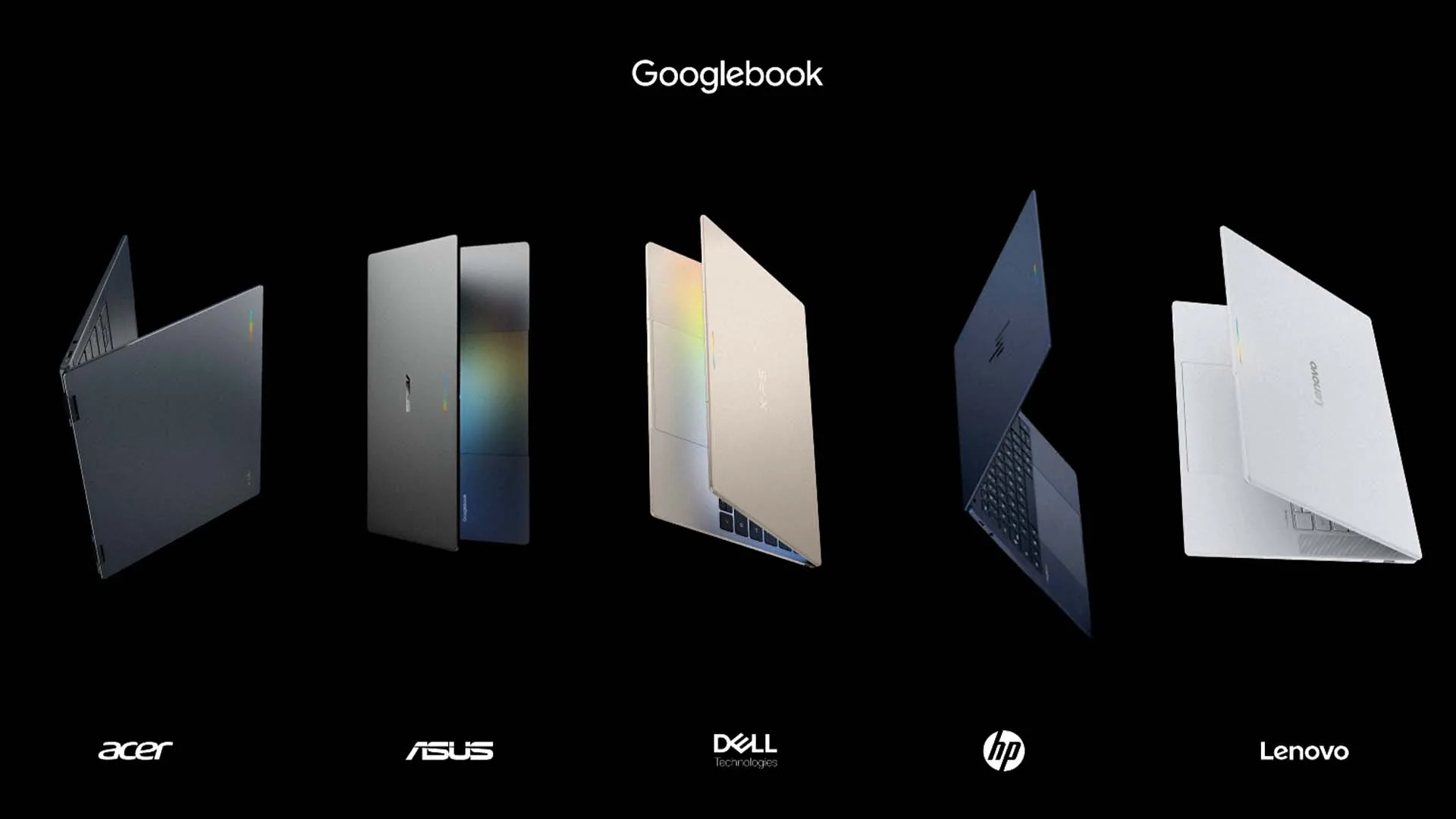

Google has unveiled Googlebook, a new category of laptops manufactured in partnership with Acer, ASUS, Dell, HP, and Lenovo, designed to combine high-performance processing hardware with native on-device artificial intelligence and synchronised Android integration.
Hardware
The initial launch lineup consists of five hardware profiles built with chassis made of aluminium, magnesium alloy, and carbon fibre to maintain low weight, durability, and a thin profile. Across the range, Googlebook devices feature anti-glare touch displays with 500 nits of brightness and resolutions up to 3K (ranging between 13 inches and 15.3 inches), backlit keyboards, large glass-surface haptic trackpads, studio-grade background-noise-cancelling microphones, and speaker setups scaling up to six drivers with Dolby Atmos audio. The hardware also revives Google’s exterior interactive light strip, the Glowbar, which visually tracks battery levels, animates upon system boot, and supports customised lighting effects via an open developer API.
Each partner design serves distinct functional requirements. Acer delivers the lineup’s sole 2-in-1 convertible, allowing the device to rotate between laptop and tablet orientations. ASUS manufactures the lightest device in the family, the ASUS Googlebook 14, which incorporates an Intel Core Ultra 3 processor, a 14-inch 3K OLED touch display, and an aluminium-magnesium body that weighs 2.2 pounds (1.0 kg). Dell’s XPS Googlebook is a 13-inch machined aluminium clamshell utilising a 2.5K panel, a Snapdragon X Elite processor, and dual biometric verification via face authentication and a fingerprint sensor. HP’s Googlebook 14 features an all-aluminium body, a Snapdragon X1 Elite processor, and a 14-inch 2.8K OLED touch panel. Lenovo’s Googlebook 15 provides a larger 15.3-inch 2.8K OLED screen, an Intel Core Ultra 3 processor, and a magnesium-carbon-fibre frame.

Internally, Googlebook relies on Intel Core Ultra Series 3 (Panther Lake) and Qualcomm Snapdragon X Elite processors. These chipsets integrate dedicated neural processing units (NPUs) capable of delivering over 40 to 45 TOPS of local AI throughput, enabling the devices to run machine learning models and automated background tasks quietly without heavy fan intervention. The system architecture mandates a baseline of 16GB of high-speed RAM across all models (with configurations reaching 32GB), SSD storage capacities spanning 256GB to 512GB and higher, and battery efficiency engineered to support up to 14 hours of continuous video playback and 16 hours of web browsing.
Software
Googlebook OS places Gemini intelligence directly into the desktop operating system rather than routing operations solely through cloud networks. By executing multimodal AI locally on the dedicated NPU, the platform introduces several native software tools. Magic Pointer changes system cursor navigation by letting users summon Gemini via a mouse wiggle or keyboard shortcut. Magic Pointer visually parses on-screen text and graphical content to carry out tasks like parsing unstructured marathon plans into Google Calendar events, evaluating incoming emails for security threats, or compiling isolated screen assets into composite images without requiring manual prompt entry or file downloads.
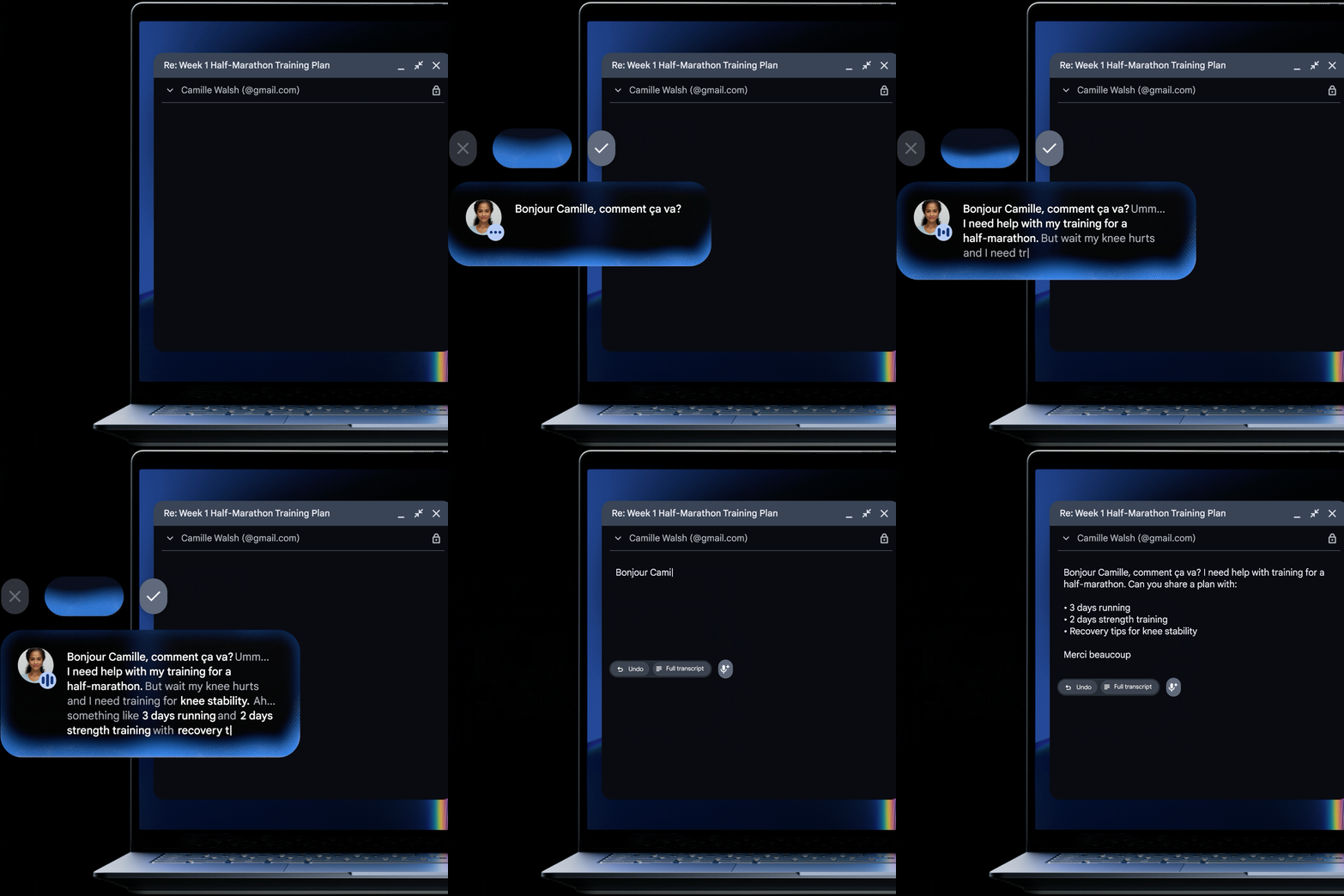
Additional integrated intelligence tools include Rambler, a contextual speech-to-text dictation engine that filters filler words, removes verbal hesitations, automatically arranges spoken thoughts into categorised bullet points, inserts relevant emojis, and supports real-time multi-language switching mid-sentence.
The platform also features Create My Widget, a prompt-to-widget engine that generates functional desktop widgets from plain-language descriptions, such as real-time sports scoreboards or trip countdowns. Routine workflows are supplemented by Magic Cues, which supplies proactive context-aware suggestions across email, calendar schedules, and active tasks. Through Gemini Spark, the operating system can execute automated tasks in the background even after the laptop lid is closed. For software developers and technical users, the OS provides full Linux containers, access to the native Google Antigravity environment, and command-line support for both the Antigravity and Claude CLIs. App compatibility encompasses native Progressive Web Apps, Android applications distributed through the Google Play Store, and containerised Linux applications.
User Experience and Cohesion
A primary design target of the Googlebook platform is continuous system-level interaction with Android mobile devices. The OS functions as a direct desktop extension of an Android smartphone through native continuity services, reducing friction when switching hardware. Cross-platform utilities such as Continue on and Handoff synchronise application data, open browser sessions, and ongoing operations, allowing users to pick up activities between their phone and Googlebook instantaneously.
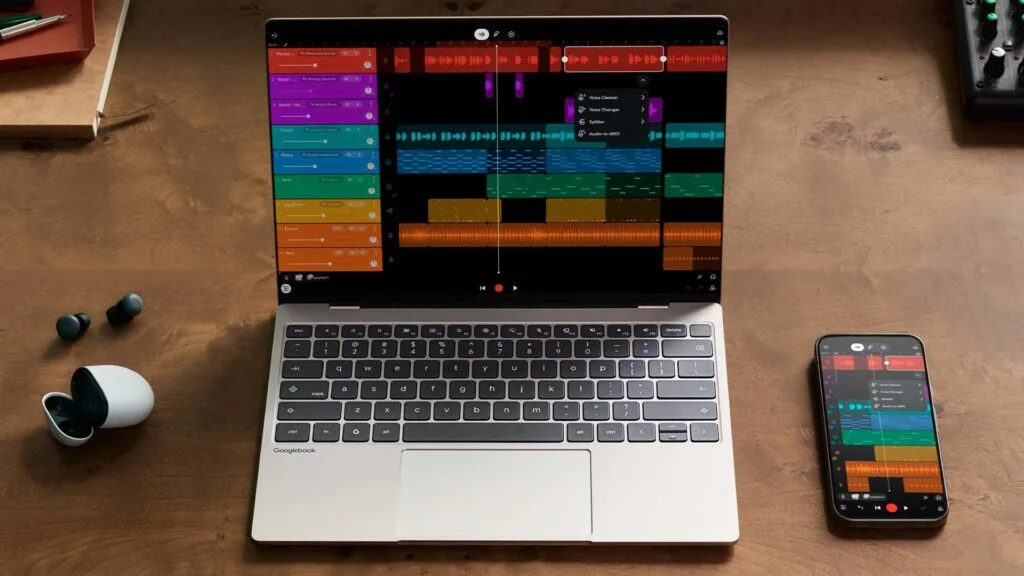
Shared storage directories between the Googlebook Files application and mobile devices allow direct, local file access without requiring manual transfers or cloud intermediaries. Finally, core Gemini features deployed across Android and Chrome—including live conversational voice interaction and predictive task suggestions—mirror the desktop environment, ensuring consistent user preferences, data states, and automated assistance across all active screens.
Pricing and Availability
Hardware pricing starts at A$899 for the 14-inch Acer convertible. Higher-tier configurations scale to A$ 1,199 for the Dell XPS Googlebook, and A$1,299 for the HP Googlebook 14, ASUS Googlebook 14, and Lenovo Googlebook 15. Retail pricing may vary depending on the specific retailer and region.
Every retail unit ships with an included software package comprising a 12-month subscription to Google AI Pro (which provides 5TB of cloud storage alongside access to Gemini Advanced), as well as three-month access passes to YouTube Premium, Adobe Photoshop, and CapCut. Google has also committed to providing regular feature drops and operating system software updates for up to 10 years. Pre-orders are open via the Google Store, Best Buy, and select electronics retailers. Hardware availability begins on October 4 in the United States, followed by retail distribution on October 5 across Australia, Canada, France, Germany, Ireland, and the United Kingdom.
Conclusion
The launch of Googlebook establishes a unified, high-tier standard for Google’s laptop hardware ecosystem. By pairing 40+ TOPS NPU processing platforms with local multimodal Gemini tools and native Android task continuity, Google and its hardware partners have created a computing platform designed to remove the traditional divisions between mobile phones and desktop computers. The combination of long-term software support, standardised hardware baselines, and cross-device functionality positions the Googlebook line as a direct, unified personal computing option for the modern Android ecosystem.

Having been well invested in the Android ecosystem for some time, the Googlebook represents what I’ve felt the Android platform could deliver in terms of a unified system of hardware. I’m genuinely excited to get a closer look at the hardware and see how the Googlebook can integrate into my life.