Apple has officially unveiled Siri AI, the much-anticipated upgrade to Apple’s AI voice assistant. Announced during Apple’s Worldwide Developers Conference (WWDC) prerecorded keynote, Siri AI will finally deliver the full device contextual experience users have been waiting to see.
Siri AI will work across all Apple devices and apps with a combination of on-device and private cloud compute processing. Apple is using Google AI to help bring Siri into the modern AI age but repeatedly mentioned privacy was the core of Apple’s version.
“Truly helpful AI must be centred on our users’ needs, deeply integrated into the products they rely on every day, grounded in personal context, and built with privacy at every step,” said Craig Federighi, Apple’s senior vice president of Software Engineering.
“That is our vision for Apple Intelligence. With useful features for browsing the web, expressing creativity, editing photos, and so much more, today marks a big step forward on our journey to integrate powerful AI into the core of our platforms and make our products even more personal and useful.”
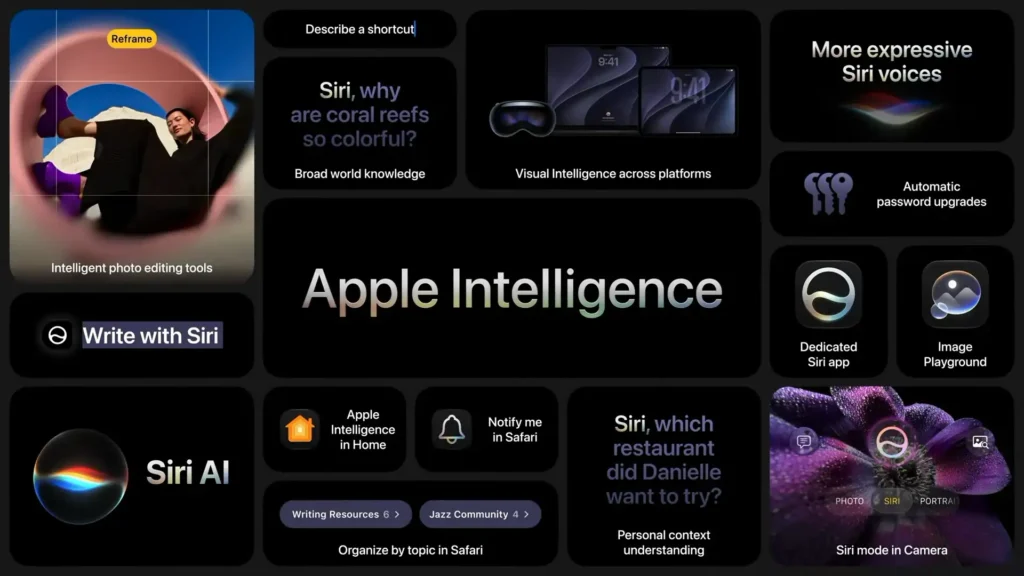
Siri AI will also be available in a dedicated app along with integrated tools for writing and Visual Intelligence across platforms. Siri can search for data across messages, emails, photos, and other apps, to answer questions or take action.
Standout Demo
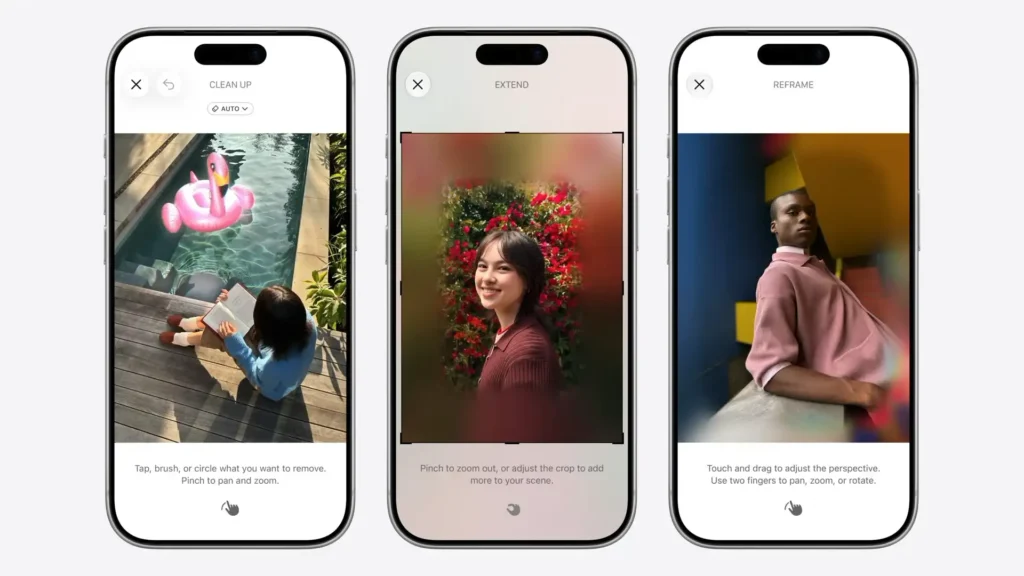
Photos adjusted with Apple Intelligence will automatically include a hidden SynthID watermark to identify those that have been edited with AI.
But the most interesting demo involved Spatial Reframing. This tool has been developed via Apple Vision Pro. It allows a user to change the angle of an image, any image in Photos, to improve the composition of a photo. Essentially, what you are doing is repositioning the camera, after the fact. The example shown during the keynote was impressive. The repositioning will happen on device while filling in around the edges is done via private cloud compute.
Siri AI – Apple Intelligence Everywhere
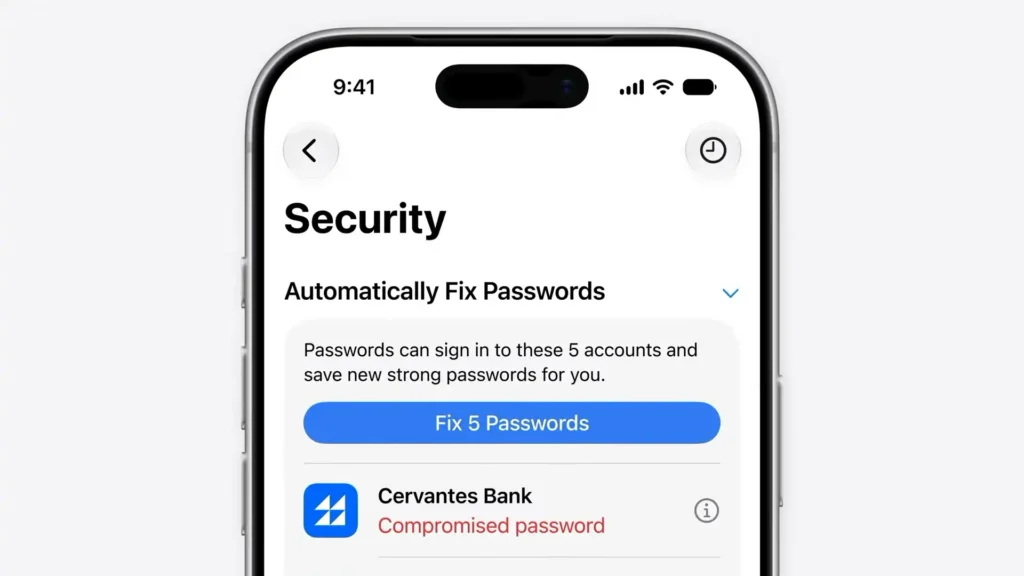
Some other features or AI improvements that stood out included Safari. Apple’s browser can automatically organise tabs into relevant topics, and with Notify Me, users can ask Safari to monitor a web page for changes. Passwords can now automatically fix problematic user passwords using Apple Intelligence and Safari. It agentically takes action for you, so your crappy password is never left unattended. Passwords securely navigates through websites to sign in and upgrade their accounts to strong passwords. Describe an Extension will generate a custom extension in the toolbar — like adding a button to save and rate recipes a user has tried.
Image Playground can now create photorealistic imagery thanks to a new generative model that runs on Private Cloud Compute. In addition to places like Messages, Image Playground can now be used to generate Lock Screen wallpapers and Contact Posters. Users are also able to choose the aspect ratio for what they’re working on, such as a landscape image for a website or a portrait image for a flyer.
Messages offers one-tap suggestions based on the context of users’ conversations. Apple Intelligence can add or modify events in Calendar just by describing the event. As users type, Calendar will identify contacts and locations, and create a title for the event.
Shortcuts is a great tool. You can describe a shortcut to automate things like sending a message when you leave the office or turning on the porch lights at night when they get a notification that their food delivery is arriving.
Privacy
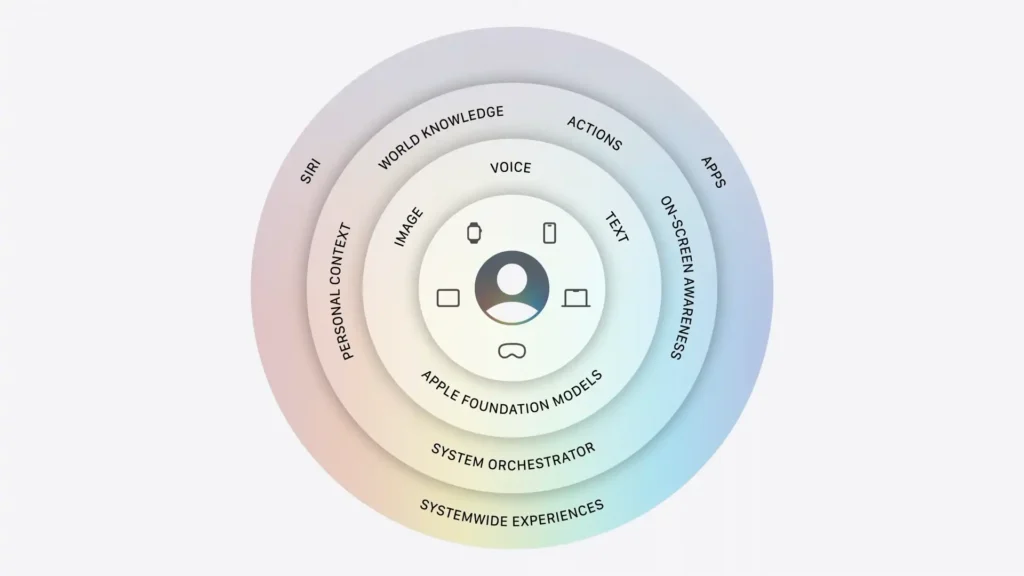
Apple was firm on its privacy-first stance. Apple Intelligence uses on-device processing and Private Cloud Compute to help protect users’ privacy. When Private Cloud Compute is handling a request, personal data is not stored nor made accessible to Apple or anyone else. These AI features are powered by the next generation of Apple Foundation Models, custom-built in collaboration with Google and its Gemini models.
Tim Cook
It was another slick pre-recorded presentation by Apple, and despite it being the last major event before Tim Cook stands down as CEO, there was not big farewell fanfare. Cook did make a personal note at the conclusion of the keynote. In typical Tim Cook fashion, he thanked the Apple community, saying, “The best is still ahead.”
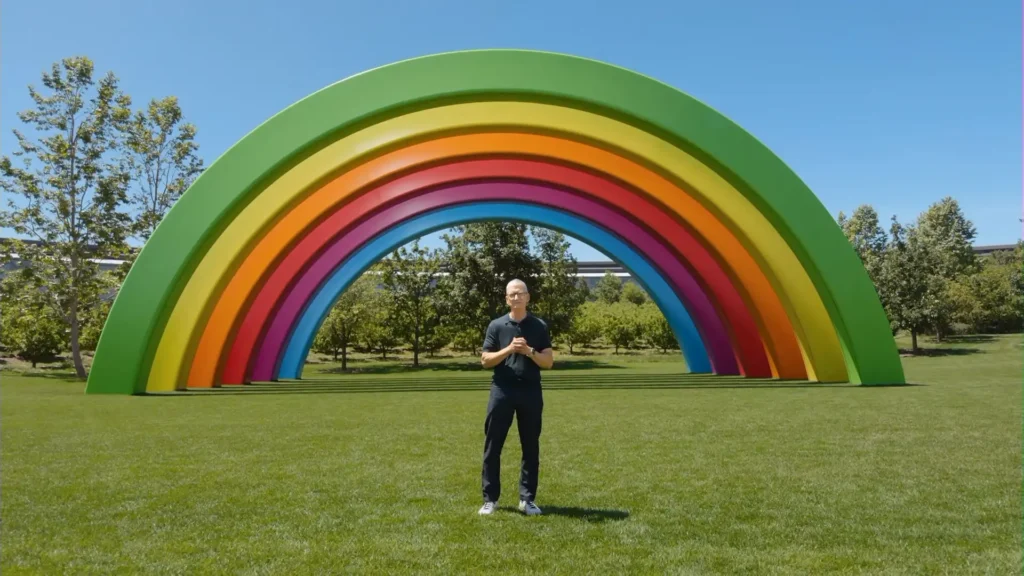
Incoming CEO John Ternus did not appear today. He will make his big event debut as chief executive in September when the new iPhones are announced.
Pricing and Availability
New AI features are available for testing starting today through the Apple Developer Program at developer.apple.com, and a public beta will be available through the Apple Beta Software Program next month at beta.apple.com.
Users who enable Apple Intelligence on supported products set to a supported language will have access later this year with iOS 27, iPadOS 27, macOS 27, watchOS 27, and visionOS 27.
Some features, including image generation, have daily usage limits due to server demands. More access is available with most iCloud+ subscription plans, which also include Apple Intelligence support for compatible Home cameras.
Siri AI will not be available in the EU on iOS or iPadOS at launch. A few things need to be sorted out there first. Siri AI will not be available in China due to regulatory issues.
Apple Intelligence is available with support for these languages: English, Danish, Dutch, French, German, Italian, Norwegian, Portuguese, Spanish, Swedish, Turkish, Vietnamese, Chinese (simplified), Chinese (traditional), Japanese, and Korean. Some features may not be available in all regions or languages. For more details, visit apple.com/au/apple-intelligence.
Apple Intelligence in iOS 27, iPadOS 27, macOS 27, watchOS 27, and visionOS 27 is available on iPhone 16 models or later, iPhone 15 Pro, iPhone 15 Pro Max, iPad mini (A17 Pro), iPad models with M1 or later, MacBook Neo (A18 Pro), Mac models with M1 or later, Apple Vision Pro, Apple Watch Series 10 or later, Apple Watch Ultra 2 or later, and Apple Watch SE 3 when paired with an Apple Intelligence-enabled iPhone nearby.
More to come from WWDC soon.