
The world of gaming laptops has great potential, with many players involved. And, like any other technology option, there are many things to consider. Starting with the obvious, your need for a laptop; is it a workhorse? Is it a workstation replacement? Does it need to cover work and recreation?
The Hardware
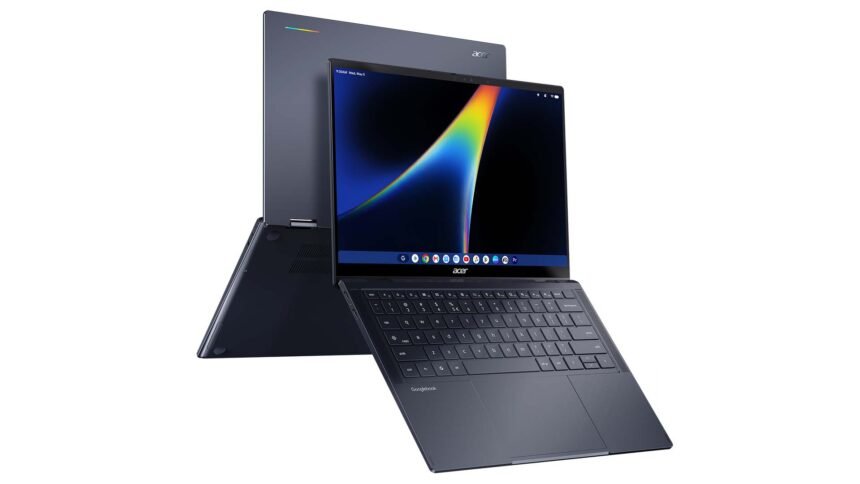
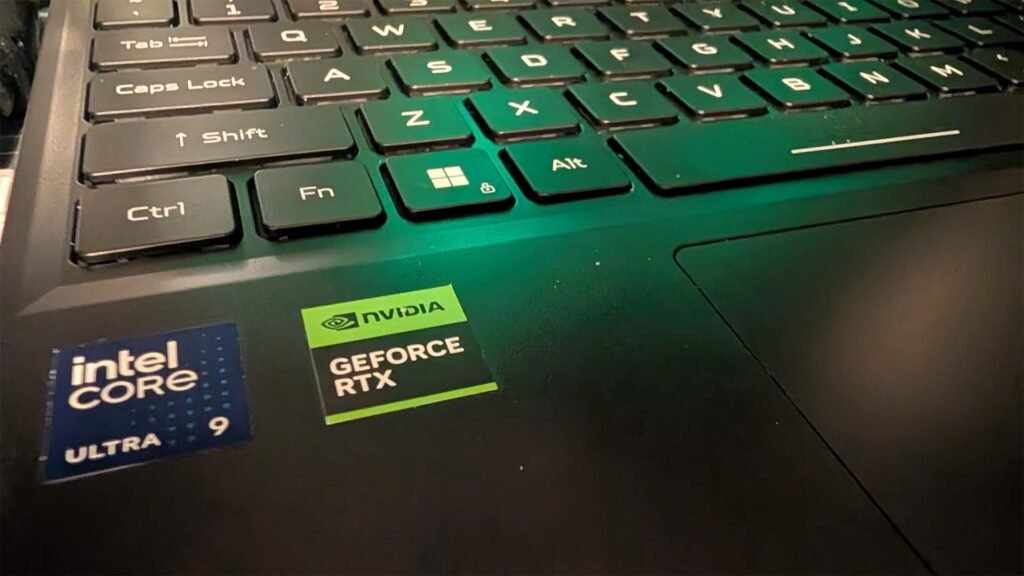
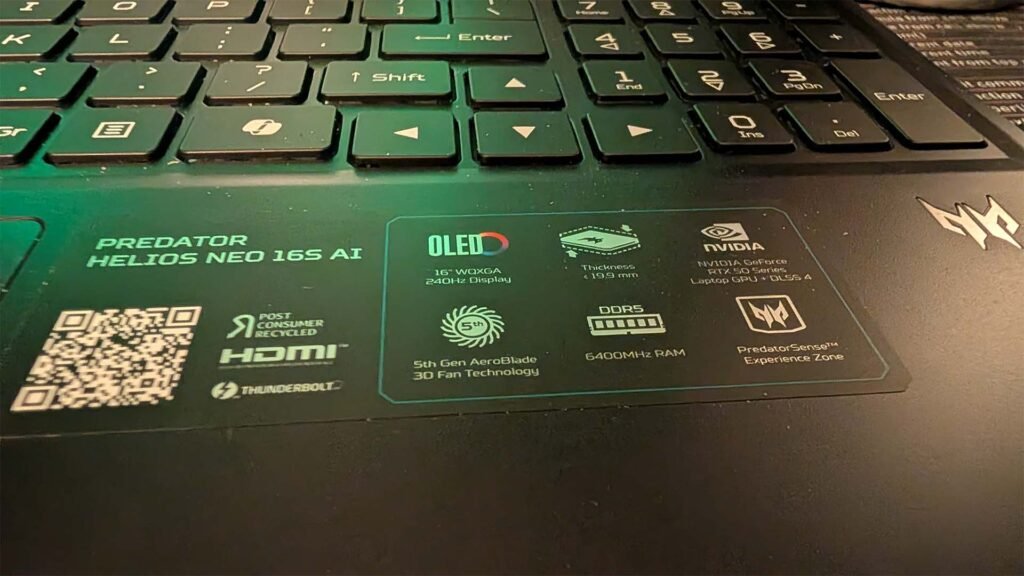
The Acer Predator Helios Neo 16S AI is essentially a high-end laptop built around three main components: the CPU, GPU, and display. The processor is an Intel Core Ultra 9 (or Ultra 7 in lower configurations), using a hybrid core layout with a mix of performance and efficiency cores—up to 16 cores in total. In practical terms, that means it can handle heavy tasks (like gaming or rendering) while still managing background processes efficiently. The graphics processor is an NVIDIA GeForce RTX 5070 laptop GPU, which renders 3D graphics and accelerates tasks such as video editing and AI workloads. It includes dedicated hardware for ray tracing and tensor operations (used in machine learning), but at a basic level, it’s just a powerful GPU designed for high frame rates and handling modern game engines.
The display is a 16-inch OLED panel with a resolution of 2560 × 1600 and a refresh rate up to about 165 Hz (higher in some configurations). OLED means each pixel emits its own light, so it can fully turn off for true blacks and higher contrast compared to standard LCD panels. The laptop also includes typical high-end components: up to 64 GB of RAM and around 1 TB or more of SSD storage, which affects how many programs you can run at once and how quickly files load. Cooling is handled by multiple fans and a liquid metal thermal interface, which simply means it uses a more efficient material to transfer heat away from the CPU and GPU so they can maintain performance under load. Networking is provided through Wi-Fi 6E – perhaps a little disappointing for a device that will cost you AU$4,000 or more — and 2.5Gb Ethernet, and it runs Windows 11.
Overall, the technology here is standard for a modern high-performance gaming laptop: a hybrid CPU, a dedicated GPU, fast memory and storage, and a high-resolution, high-refresh display, all packaged into a relatively thin chassis.
Daily Use: From Productivity To Recreation and AI
A gaming laptop is great, but if it’s not capable of doing other tasks you want it to, like daily productivity, or you’re tethered to the wall for power, it’s really not a highly capable laptop. Some of the design, engineering and optimisation decisions from Acer on the Predator have resulted in very good battery life. That is, providing you don’t have the power setup at a high level, that’ll drain the battery really quickly eg. Just under 90 minutes of gaming resulted in battery warnings.
That being said, if you leave the house with a full battery, I’d be reasonably confident in taking it on a day trip without the need to drag the almost comically oversized — compared to many of the current USB-C charging options — power brick with me.
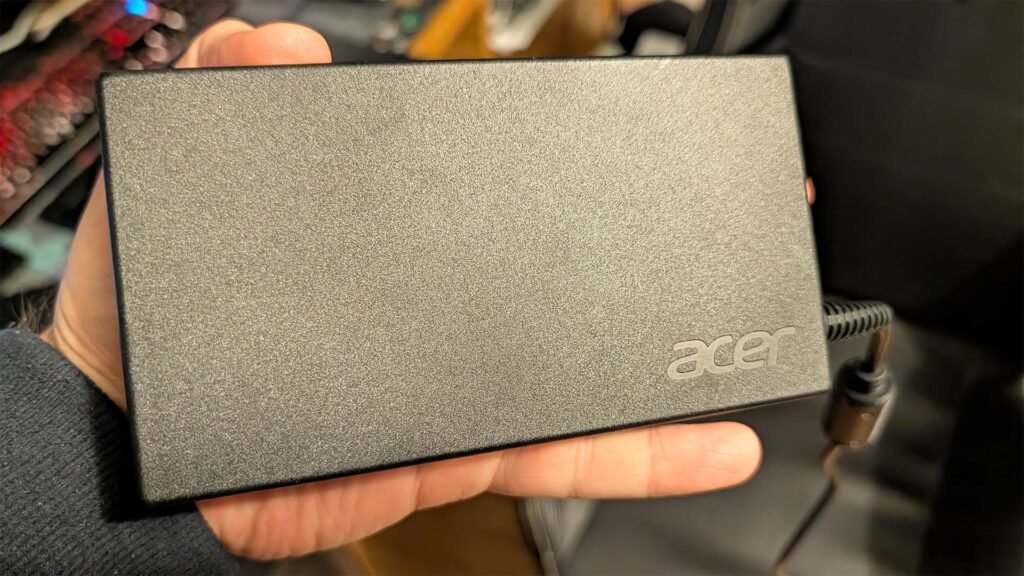
Laptops are a constant game of trade-offs with size and functionality. The larger size of the Predator lends it to being more functional and a little more cumbersome to transport. But if you’re using it as a desktop replacement at work and at home; that’s a a big win.
The keyboard is very easy to type on as it’s a full keyboard with a number pad on the right side. The touch of the keys takes a little bit of adjustment, but that’s true of any new keyboard; on laptops I run a 13″ Macbook Air and my desktop has a Razer BlackWidow low profile keyboard with short throw switches. Once you’ve made the adjustment, the keys feel responsive and the touch is firm without being as “clicky” as mechanical keyboards.
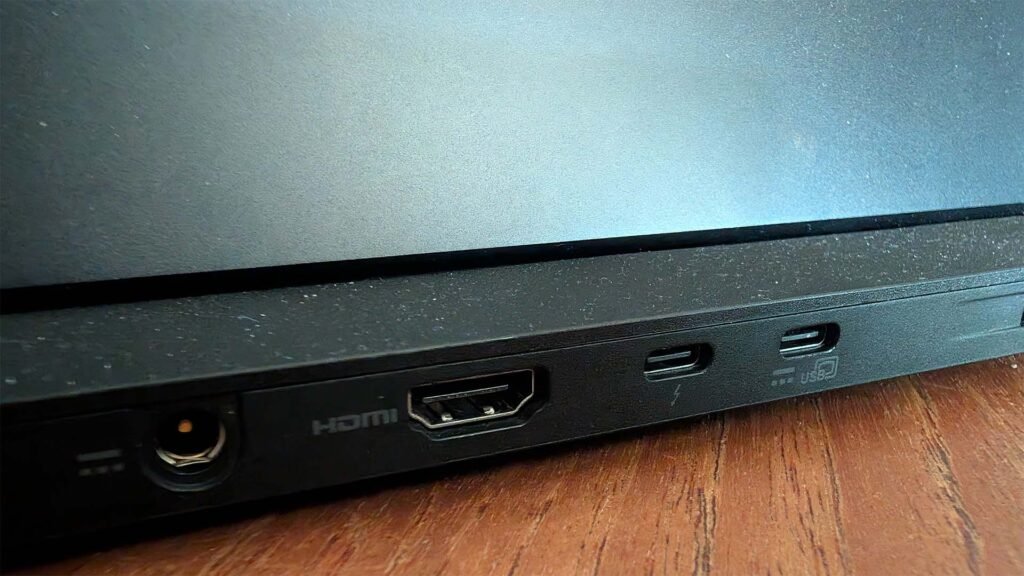
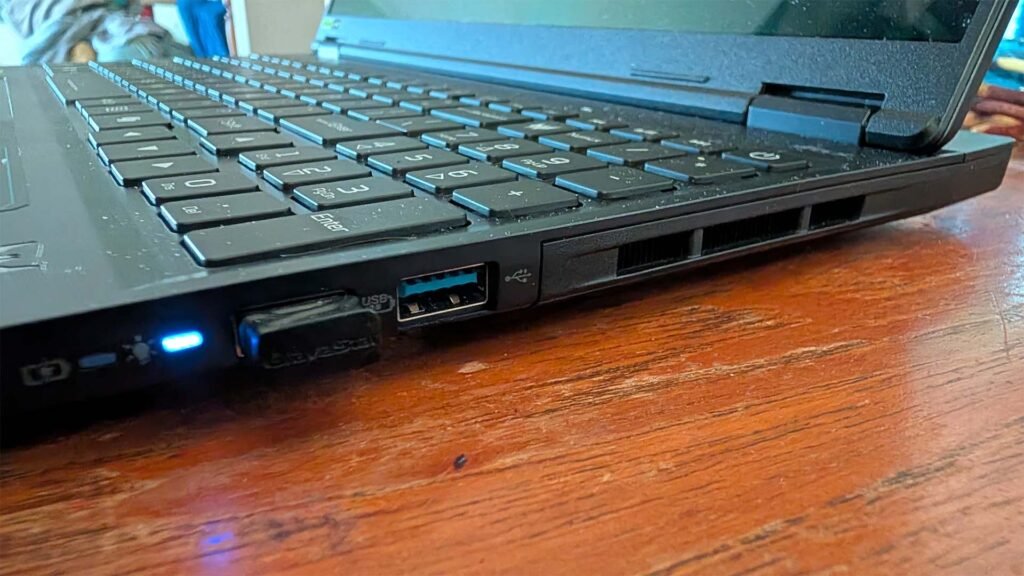
There’s a lot of connectivity available on the unit, lending it to that status of being a desktop replacement including: USB-A, USB-C (including one Thunderbolt), Wi-Fi 6e, Ethernet and HDMI for external screens.
I found myself drawn to the Predator over my usual daily use options (a MacBook Air M3 and an iPad Air) despite its size for the gorgeous screen. While the lightweight, and smaller form factors have their alure; the bigger, high res OLED panel is just a lovely experience. Easy on the eyes when you’re doing a lot of work, or even consuming media and the high refresh rate makes it an excellent option for gaming.
AI Plays a Role In The Holistic Experience
One of the more interesting shifts with this generation of gaming laptops is how much of the experience is now being shaped by on-device AI, rather than just raw CPU and GPU power. The Predator Helios Neo 16S AI leans into this pretty heavily, combining Intel’s Core Ultra processor with a dedicated NPU (neural processing unit) and NVIDIA’s RTX AI capabilities. In practical terms, that means certain tasks—like background noise suppression, video call enhancements, and even elements of content creation—can be offloaded to specialised hardware instead of chewing through CPU or GPU resources. The upside is that you can be gaming, streaming, or working, while these AI-driven features run in the background without dragging overall performance down.
Acer wraps a lot of this into what it calls the Experience Zone 2.0 inside PredatorSense, essentially a hub for its AI-powered tools. Features like PurifiedVoice 2.0 use AI to clean up microphone input by stripping out background noise, while PurifiedView enhances the webcam with things like auto framing and background effects. There are also lighter, more creative tools—like automatic highlight capture or image editing features—that tap into the same hardware acceleration. It’s the kind of stuff that doesn’t necessarily show up on a spec sheet as “performance,” but it does start to shape how usable the laptop is beyond just gaming.
Added to this, being a Windows based laptop you’ve got Microsoft Copilot. And being a Copilot+ PC with plenty of grunt, some of that work that would previously call out to the cloud for completion is completed on-device; making it far more efficient. While it’s rarely my first port of call, I’m finding more uses for AI and AI driven devices over the last 6 months – it’s creeping into my daily life steadily.
When it comes to real world experience with the AI capabilities of the Predator, it’s quite unobtrusive. What I mean by this is that; while it’s there and present in many of the daily use cases of the unit, it doesn’t scream for attention or active management.
Built for Anything, Excellent for Gaming
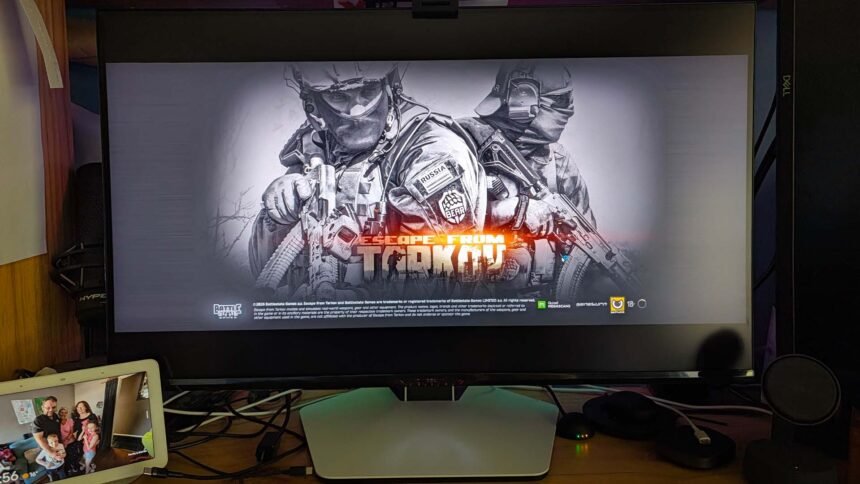
While the marketing may tell another story, the reality is that this thing is built for gaming. The hardware specs are very capable of running anything from some old classics, through to some of the latest and most demanding games; Escape from Tarkov is my current favourite time hole.
Impressively, where my desktop PC (just over 18 months old) lands about 140 fps on some of the later games; the Predator was topping 200 at times. But the FPS only tells a small part of the story when it comes to mobile gaming options.
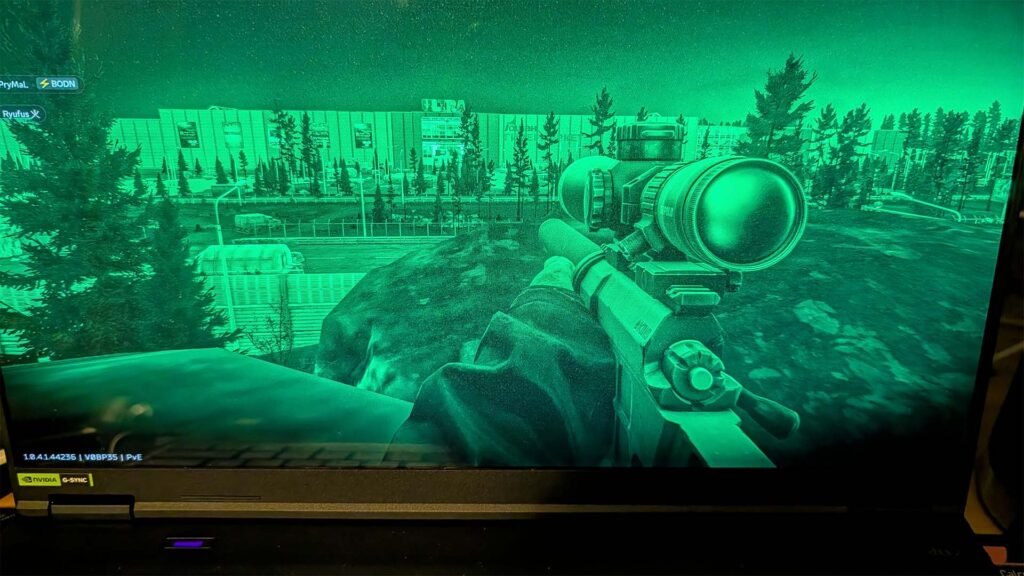
One of the biggest tradeoffs with a gaming laptop is the sound, not just the sound it delivers for the game being limited in sound stage, but the noise it makes during gaming. To keep a high end graphics card cool, inside a relatively small space the reality is you need to pump a lot of air through and that’s exactly what this does. On full power, or “Turbo Mode” where the hardware management restrictions (power and noise saving) are off, mid-game my wife measured the noise output at 75db which adds a lot of noise to your playing environment and which dampens the audio that is available.
In terms of the heat production; putting it bluntly, there’s no way I’d have this on my lap while gaming. Firstly, the ergonomics aren’t great (with any laptop) on your lap and second, it gets uncomfortably hot. It’s fine if you’re just doing some emails, web surfing and general work; but not gaming.
Luckily, I have some IEMs I recently purchased and shared a review of and honestly; despite the good quality sound that the laptop delivers, I’d recommend a headset or quality earphones, particularly for gaming because of the noise the unit makes when going hard.
One of the significantly understated points for the Predator is the slim form factor. In comparison — avoiding naming other units — to some others, the slim form factor makes this feel far more like a standard, slimline keyboard than a chunky gaming laptop. This doesn’t just make the machine look better, it genuinely feels a lot better and smoother to use in quick response situations in game.
Pricing and Availability
Here’s the sticking point for a lot of people… The price.
The Predator Helios 16S AI starts at a retail price of A$3998.00 and — depending on the SKU you purchase — goes as high as A$5498.00 available through Harvey Norman stores and online.
Conclusion
The Predator Helios Neo 16S AI ultimately feels like a gaming laptop designed by people who understand that not everyone buying one is “just” a gamer. Yes, it absolutely has the horsepower to chew through modern titles at impressive frame rates, but the more interesting part is how usable it becomes when the game closes and real life starts again. It’s powerful enough to replace a desktop, portable enough to move between work and home without much thought, and refined enough that it doesn’t constantly scream “RGB gaming machine” every time you open the lid in a café or meeting room.
That doesn’t mean it’s perfect. The fan noise under load is substantial, battery life still depends heavily on how hard you push the hardware, and the oversized charger remains the unavoidable pitfall of high-performance mobile computing. But those compromises feel understandable once you experience what the system is capable of delivering. The OLED display alone changes the daily experience in a way benchmark numbers never really explain, while the slimmer chassis and thoughtful keyboard make it feel far more approachable than many gaming laptops in this class.
What Acer has managed to do here is build a machine that; despite a few personal issues with delivery, feels pretty balanced. The AI features are useful without becoming gimmicky, the gaming performance is genuinely excellent, and the overall package sits in that increasingly important space between productivity laptop and enthusiast gaming rig. If you’re looking for a single machine that can handle spreadsheets during the day, creative workloads in the afternoon, and a few hours lost in Tarkov at night, the Predator Helios Neo 16S AI makes a very convincing argument for being that one-device solution.